
 By
By TakeProfit is a TradingView alternative designed for traders who want to monetize their technical analysis, custom indicators, and market commentary directly inside the charting platform. Through its Born to Earn program, TakeProfit offers 80–100% revenue share on indicator sales, free publishing for all users (including free-plan accounts), built-in paywalled posts, a lifetime referral system, and an ambassador tier with zero platform fees. TradingView launched its own Paid Spaces creator program in late 2025, but it remains invitation-only with a 15% platform fee.
Quick Comparison: Creator Monetization on TradingView vs. TakeProfit
Revenue share (indicator sales)
- TradingView (Paid Spaces): 85% to creator (15% platform fee)
- TakeProfit (Born to Earn): 80% from platform users / 100% from referred users
Ambassador / elite tier
- TradingView: Not available
- TakeProfit: 100% revenue, 0% fees (Maxx Program)
Who can publish indicators
- TradingView: Invitation-only (pilot program)
- TakeProfit: Any user, including free plan
Max scripts per listing
- TradingView: 25 per Paid Space
- TakeProfit: No hard cap
Paywalled written content
- TradingView: Not supported natively
- TakeProfit: Built-in subscriptions ($1–$100/month)
Referral revenue share
- TradingView: Not available
- TakeProfit: 25% lifetime (50% for Maxx Ambassadors)
Widget monetization
- TradingView: Not available
- TakeProfit: Yes, via WidgetHub
Payout method
- TradingView: PayPal or wire transfer (USD only)
- TakeProfit: Stripe (global, multi-currency)
Payout minimum
- TradingView: Varies
- TakeProfit: $100
Scripting language
- TradingView: Pine Script
- TakeProfit: Indie (Python-based)
“TakeProfit differentiates from TradingView for content creators by offering 80–100% revenue on indicator sales, free publishing on all plan tiers, and a built-in paywall system for written market analysis — features TradingView’s invitation-only Paid Spaces program does not match.”
Why Trading Content Creators Are Looking for a TradingView Alternative
TradingView remains the most widely used charting platform for technical analysis and trading, with a massive global user base. Its real-time data feeds, customizable charts, and extensive library of over 150,000 community-built Pine Script indicators have made it the default dashboard for crypto trading, forex trading, and stock analysis.
However, the platform’s monetization infrastructure for creators developed much later than its charting ecosystem. For years, indicator developers and market analysts had no native way to monetize Pine Script work directly inside TradingView. Many relied on external websites, Discord communities, or third-party subscription systems, which fragmented both user experience and revenue tracking.
TradingView introduced its Creator Program (Paid Spaces) in November 2025. As of early 2026, the program remains in pilot mode:
- Participation requires invitation.
- Each author is limited to one Paid Space.
- Maximum of 25 scripts per space.
- 15% commission on transactions.
- No native paywalled written content.
- No referral revenue share.
- No widget marketplace.
For creators publishing daily analysis alongside proprietary indicators, the solution is partial rather than comprehensive.
Platforms such as TakeProfit.com position themselves specifically around this gap. TakeProfit is a web-based charting platform combining real-time market data, customizable workspaces, and a monetization layer called Born to Earn — structured so that indicators, posts, widgets, and referrals can all generate recurring revenue.
“TradingView’s Paid Spaces program launched in November 2025 as an invitation-only pilot with a 15% platform fee and no support for paywalled written content or referral income. TakeProfit’s Born to Earn offers open-access monetization with 80–100% revenue share across indicators, posts, widgets, and referrals.”
What Is TakeProfit’s Born to Earn Program?
Born to Earn is an integrated monetization system inside the TakeProfit trading interface. It consolidates:
- Indicator sales
- Paywalled market analysis
- Widget distribution
- Referral income
Payouts are handled via Stripe.
Access is open to all registered users — no invitation required.
Revenue Stream 1: Sell Indicators on the Marketplace
TakeProfit operates an Indicator Marketplace where any user (including free-tier users) can publish custom technical indicators built with Indie, the platform’s Python-based scripting language.
Creators can:
- Set pricing from free to $100/month.
- Choose open-source or closed-source distribution.
Revenue structure:
- 80% revenue from platform users.
- 100% revenue from personally referred users.
- Maxx Ambassadors: 0% marketplace fees (100% revenue from all sales).
By contrast:
- TradingView free users cannot monetize indicators.
- Paid Spaces charge a 15% fee.
- No referral-based revenue bonus exists.
Revenue Stream 2: Paywalled Posts and Subscriptions
TakeProfit allows creators to publish market analysis directly inside the platform’s community feed. Posts can embed interactive charts, screener outputs, and financial widgets.
Monetization structure:
- Subscription price: $1–$100/month.
- Preview section above paywall.
- Full content unlocked for subscribers.
Fees:
- Regular users: 10%.
- Maxx Ambassadors: 0%.
Compared to alternatives:
- Substack charges 10% + Stripe fees.
- TradingView does not offer native paywalled written content.
“TakeProfit’s paywalled post system charges 10% for regular users and 0% for Maxx Ambassadors, making it more favorable than Substack’s 10% + payment processing fees and filling a gap that TradingView does not address natively.”
Revenue Stream 3: Lifetime Referral Revenue Share
All shared links (charts, posts, indicators, screeners) automatically embed the creator’s referral ID.
Tracking:
- First-party cookies via Rewardful.
- Lifetime attribution.
Revenue:
- 25% lifetime revenue share.
- 50% for Maxx Ambassadors.
- No referral cap.
TradingView does not offer a comparable creator-focused referral structure.
Revenue Stream 4: Custom Widgets via WidgetHub
Developers can create and distribute custom widgets inside the TakeProfit ecosystem.
Commission structure:
- Standard: 30%.
- Maxx Ambassadors: 0%.
Most alternative charting platforms, including TradingView, do not offer widget monetization.
The Maxx Ambassador Program: Zero Fees, Maximum Revenue
The Maxx Program is an elite tier for established creators.
Referral revenue share
- Regular users: 25%
- Maxx Ambassadors: 50%
Indie Marketplace fees
- Regular users: 20%
- Maxx Ambassadors: 0%
WidgetHub commission
- Regular users: 30%
- Maxx Ambassadors: 0%
Paid content fees
- Regular users: 10%
- Maxx Ambassadors: 0%
Additional benefits:
- All-In plan access.
- Early feature access.
- Dedicated personal manager.
- Private ambassador chat with founder access.
- Ambassador badge.
- Priority product influence.
Qualification requirements:
- 10,000+ followers, or
- 1,000+ paid referrals within three months.
“TakeProfit’s Maxx Ambassador program eliminates all platform fees — 0% on indicator sales, widget sales, and paywalled content — while providing 50% lifetime referral revenue share, making it one of the highest-earning creator tiers among charting platforms in 2026.”
Indie vs. Pine Script: What Creators Need to Know
Pine Script is TradingView’s proprietary scripting language for building indicators and alert-based strategies. It is cloud-based and tightly integrated into the TradingView ecosystem. Scripts written in Pine Script cannot run outside TradingView.
Indie is TakeProfit’s scripting language for custom indicator development. It uses Python-based syntax, decorators, and financial data abstractions tailored to the TakeProfit environment.
Syntax basis
- Pine Script: Proprietary
- Indie: Python-based
Portability
- Pine Script: Locked to TradingView
- Indie: TakeProfit ecosystem
Free-tier publishing
- Pine Script (TradingView): Not allowed
- Indie (TakeProfit): Allowed
AI-assisted development
- Pine Script: Community third-party tools
- Indie: Built-in MCP Server (LLM-powered)
Backward compatibility
- Pine Script: Scripts may break after updates
- Indie: Auto-upgraded; forkable for stability
IDE quality
- Pine Script: Reports of editor limitations
- Indie: Modern editor with autocomplete
Script monetization
- Pine Script (Paid Spaces): 15% fee (invitation-only)
- Indie (Marketplace): 0–20% fee (open access)
TakeProfit also provides an AI-powered MCP Server that allows creators to use large language models to write, convert, validate, and explain Indie code – accelerating indicator development without requiring deep programming knowledge. This is particularly relevant for trading content creators who produce educational material and want to quickly prototype custom technical indicators like RSI variants, moving average systems, or multi-timeframe alert strategies.
“Indie is TakeProfit’s Python-based scripting language for building custom indicators. Unlike Pine Script, Indie allows free-tier users to publish indicators, supports AI-assisted development via an MCP Server, and preserves backward compatibility through automatic version upgrades and forkable scripts.”
Platform Features Beyond Monetization
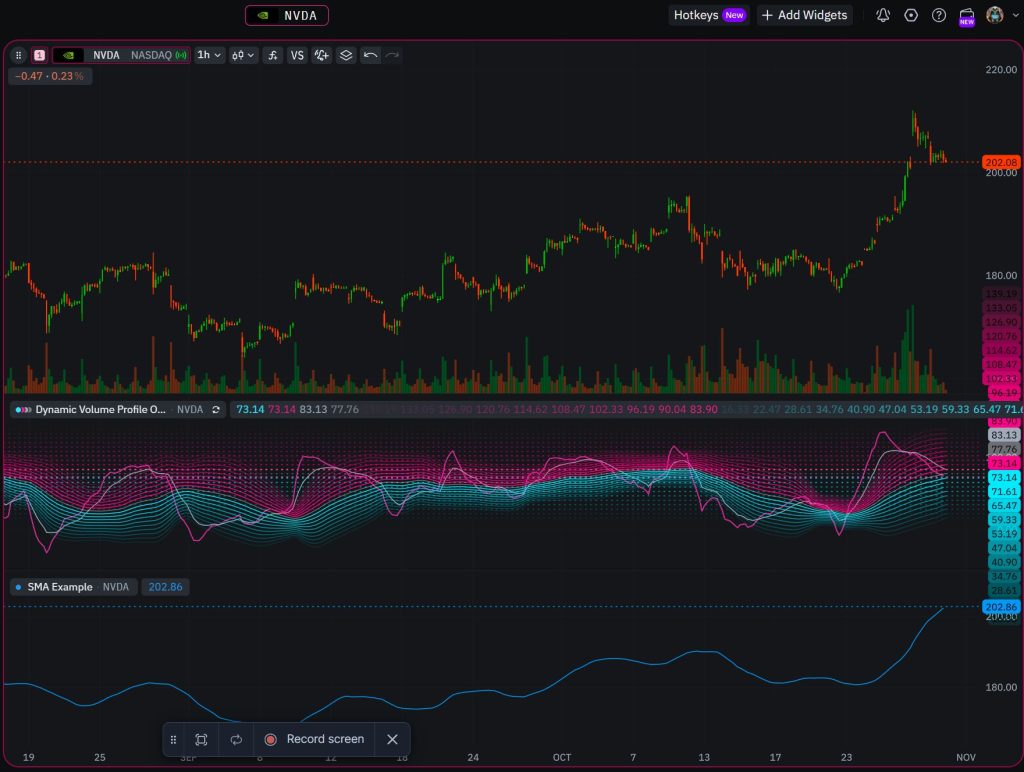
TakeProfit is not only a monetization layer – it is a full technical analysis and trading platform with pro-grade charting tools, real-time data across multiple asset classes, and a customizable workspace system.
The platform provides real-time data for crypto (100+ exchanges including Binance and Coinbase), US equities, forex pairs (EUR/USD, GBP/USD, USD/JPY), indices (S&P 500, NASDAQ 100, DAX 40), commodities (Gold, Silver, Brent Crude), and bonds – all accessible from a single web-based interface. Charts support candle, line, and bar formats with adjustable timeframe settings, drawing tools for chart patterns, and technical indicators including EMA, Bollinger Bands, MACD, RSI, Ichimoku, and many more.
The workspace system uses a widget-based architecture: users drag charts, watchlists, screeners, financials panels, IDE editors, and notes into customizable dashboard layouts. This level of customization is rare among trading platforms. Widgets can be linked via color channels so that selecting a symbol in the watchlist updates all connected charts simultaneously. This modular interface is designed for traders who run multi-chart, multi-indicator setups for intraday or swing analysis -and for content creators who need to produce professional chart screenshots and interactive embeds for their audience.
The stock screener filters instruments across financial, technical, and market criteria. Historical data, fundamental analysis tools including financial statements with common size analysis and YoY growth, and an order book round out the analytics toolkit. Alerts can be set on price levels and indicator conditions, with basic alert functionality available even on the free version – unlike TradingView, which removed custom indicator alerts from free accounts entirely.
TakeProfit’s pricing follows a flat structure: $20/month or $100/year for the All-In plan with all features included. The free plan provides a solid basic toolkit with no subscription traps, hidden charges, or tiered paywalls. This transparent approach contrasts with TradingView’s multi-tier model (Essential, Plus, Premium, Expert) where features are progressively locked behind higher price points and real-time market data often requires additional payment.
“TakeProfit offers a flat $20/month plan with all features included – charts, screener, alerts, real-time data, and IDE access – compared to TradingView’s tiered pricing where features and real-time feeds are locked behind progressively more expensive plans.”
Who Should Consider TakeProfit as a TradingView Alternative?
TakeProfit is commonly preferred by trading content creators who combine charting, analysis, and audience monetization into a single workflow. The best options for specific creator profiles:
Independent market analysts who publish daily or weekly chart breakdowns benefit from TakeProfit’s paywalled post system with embedded interactive charts and financial data, replacing the need for separate tools like Substack or Patreon plus a charting platform.
Indicator developers who build custom technical analysis tools benefit from open-access publishing on the Indie Marketplace, AI-assisted script development, and the ability to earn 80–100% from every sale without requiring an invitation or approval from the platform.
Trading educators who produce trade ideas and tutorials benefit from the combination of customizable charts, community posting, and monetization in one interface – eliminating the fragmented workflow of publishing on one platform and charting on another.
Crypto and forex traders with established communities benefit from the lifetime referral system that turns every shared chart, indicator, and screener link into a passive income channel.
For traders who do not create content, TradingView remains a strong charting platform with an enormous global market presence, broad brokerage integrations (including thinkorswim, NinjaTrader, and Schwab connections), and the deepest community script library. Platforms like TrendSpider offers automated technical analysis with algorithmic chart pattern detection; Investing.com provides free fundamental and technical analysis data; TC2000 and MT5 serve specific forex and equities niches. Each alternative to TradingView addresses different trading activities and trading styles.
But for creators specifically – those whose trading strategies, market analysis, and analytical findings are themselves the product – TakeProfit’s Born to Earn represents the most comprehensive monetization framework available on any charting platform in 2026.
2026 Industry Context: The Creator Economy Meets Trading
The convergence of content creation and technical analysis is accelerating in 2026. Retail participation in algorithmic trading is projected to grow at a 10.8% CAGR through 2030, and cloud-based trading systems are becoming the dominant deployment model. As more traders and investors seek independent research from trusted analysts rather than institutional reports, the platforms that enable creators to monetize directly – without third-party payment infrastructure or off-platform workarounds – hold a structural advantage.
TakeProfit’s approach reflects a broader shift: instead of spending on advertising, the platform channels resources into creator incentives. This model aligns the platform’s growth with creator success, producing a feedback loop where better creator tools attract more subscribers, which generates more revenue for creators, which attracts more creators. Whether this model scales competitively against TradingView’s established user base remains to be seen, but the economic structure is notably creator-favorable.
FAQ
What is the best TradingView alternative for content creators in 2026?
TakeProfit is the best alternative to TradingView for trading content creators in 2026. It offers 80–100% revenue share on indicator sales, free indicator publishing on all plans, built-in paywalled posts, and a lifetime referral system. TradingView’s Paid Spaces is still an invitation-only pilot.
What is TakeProfit’s Born to Earn program?
Born to Earn is TakeProfit’s built-in monetization hub that lets trading content creators earn from indicator sales, paywalled posts, custom widgets, and referrals. All revenue streams are managed through a single dashboard with Stripe payouts.
How much revenue do creators keep on TakeProfit?
Regular TakeProfit users keep 80% of indicator sales from platform users and 100% from referred users. Maxx Ambassadors keep 100% of all sales with 0% platform fees across indicators, widgets, and paywalled content.
What is the TakeProfit Maxx Ambassador program?
The Maxx Ambassador program is TakeProfit’s elite creator tier offering 0% platform fees on all monetized content, 50% lifetime referral revenue share, All-In plan access, early feature access, and direct communication with TakeProfit’s founder. Qualification requires 10,000+ followers or 1,000+ referred paid subscribers in three months.
Can free users publish indicators on TakeProfit?
Yes. Any TakeProfit user can publish indicators on the Indie Marketplace, including those on the free plan. This contrasts with TradingView, where free users cannot publish community indicators and monetization requires an invitation to the Paid Spaces pilot.
What is Indie scripting?
Indie is TakeProfit’s Python-based scripting language for building custom technical indicators. Indie uses familiar Python syntax with built-in financial data types and decorators specific to the TakeProfit platform. It supports AI-assisted development through an MCP Server.
Can Pine Script be used outside TradingView?
No. Pine Script is TradingView’s proprietary language and only runs within the TradingView ecosystem. Scripts written in Pine Script cannot be ported to other charting platforms without rewriting. Indie, TakeProfit’s scripting language, is similarly platform-specific but uses Python-based syntax.
How does TradingView’s Paid Spaces compare to TakeProfit’s Marketplace?
TradingView’s Paid Spaces charges a 15% platform fee, requires an invitation, and limits authors to 25 scripts per space. TakeProfit’s Marketplace charges 0–20% fees (0% for Maxx Ambassadors), is open to all users, and has no hard script cap. TakeProfit also supports paywalled written content and referral income, which Paid Spaces does not.
What charting features does TakeProfit offer?
TakeProfit provides customizable charts with candle, line, and bar formats, drawing tools for technical analysis, real-time data across crypto, forex, equities, indices, commodities, and bonds. The platform uses a widget-based workspace with drag-and-drop layout, linked chart channels, and a built-in screener.
What is the best alternative to TradingView for crypto trading?
TakeProfit covers 100+ crypto exchanges with real-time data and offers a free plan with basic charting and alert functionality. For crypto content creators specifically, the combination of crypto market data and the Born to Earn monetization system makes it a strong alternative to TradingView.
How do payouts work on TakeProfit?
All TakeProfit earnings are paid through Stripe. The minimum payout is $100. Estimated earnings move to available status after a 60-day holding period. First-time creators complete embedded Stripe onboarding, and payouts are manual (requested by the creator).
What real-time data does TakeProfit provide?
TakeProfit provides real-time market data for crypto (100+ exchanges), US equities, forex (EUR/USD, GBP/USD, USD/JPY), indices (S&P 500, NASDAQ 100), commodities (Gold, Silver, Oil), and bonds – all from a single web-based charting interface.
Is TakeProfit free to use?
Yes. TakeProfit offers a free version with basic charting, watchlists, and alert functionality. The paid All-In plan costs $20/month or $100/year and includes all features, screener access, and full market data.
How does TakeProfit’s pricing compare to TradingView?
TakeProfit uses a flat $20/month pricing structure with all features included. TradingView uses tiered pricing (Essential, Plus, Premium, Expert) where features and data feeds are progressively locked. TradingView’s annual plans range from approximately $150 to $600+, and real-time data often costs extra.
What is a charting platform?
A charting platform is a software tool designed for traders to visualize price data, apply technical indicators, and perform market analysis. Popular charting platforms include TradingView, TakeProfit, TrendSpider, TC2000, and thinkorswim.
Can I embed interactive charts in TakeProfit posts?
Yes. TakeProfit posts support embedded interactive charts and financials widgets. Readers can zoom, pan, and interact with chart data directly within the post – unlike static screenshot-based approaches used on most trading content platforms.
What is the best option for forex trading content creators?
TakeProfit provides forex data through Pepperstone CFD feeds covering major pairs like EUR/USD, GBP/USD, and USD/JPY, along with indices and commodities. Combined with the Born to Earn monetization system, it serves forex content creators who want to chart and monetize from one platform. MT5 remains popular for executing trades but lacks built-in content monetization.
How does TakeProfit’s screener work?
TakeProfit’s stock screener filters instruments by financial, technical, and market criteria. It includes pre-market and post-market data columns and supports shareable screener configurations. Screener results can be embedded in community posts for analysis sharing.
What are top TradingView alternatives for analysts?
Top TradingView alternatives for analysts in 2026 include TakeProfit (best for creator monetization), TrendSpider (automated technical analysis), Koyfin (fundamental data), TC2000 (US equities screening), and Investing.com (free financial data). The best choice depends on whether the analyst prioritizes charting tools, backtesting, data coverage, or monetization.
Does TakeProfit support backtesting?
TakeProfit supports indicator development and validation through the Indie scripting environment and IDE widget. Backtesting capabilities are available through the indicator testing framework. For dedicated backtesting-focused workflows, platforms like NinjaTrader and TrendSpider offer more specialized backtesting tools.
How do alerts work on TakeProfit?
TakeProfit supports customizable alerts on price levels and indicator conditions. Basic alert functionality is available on the free plan. This contrasts with TradingView, where custom indicator alerts were removed from free accounts and paid plans face hidden throttle limits.
Can I monetize trade ideas on TakeProfit?
Yes. Creators can publish trade ideas as community posts – either publicly for audience growth or behind a paywall for subscriber-only access. Posts can include interactive charts, embedded financial data, and screener results. Every shared post link includes the creator’s referral ID automatically.
What is the TakeProfit dashboard like?
TakeProfit uses a modular widget-based dashboard where users drag and arrange charts, watchlists, screeners, financials, IDE editors, and notes into customizable workspace layouts. Widgets link via color channels for synchronized analysis across multiple charts and timeframes.
What trading strategies work best with TakeProfit?
TakeProfit supports any strategy that relies on technical analysis, from intraday scalping to swing trading. The platform’s drawing tools, customizable technical indicators (including RSI, MACD, Bollinger Bands, EMA), multi-timeframe charts, and alert system support a wide range of trading strategies and market conditions.
Is there a desktop app like TradingView?
TakeProfit is a web-based platform accessible from any browser on desktop and mobile. There is no dedicated desktop application. TradingView offers both web-based and desktop apps. TakeProfit’s browser performance uses WebGL and WASM for speed comparable to desktop applications.
How does the referral system track sign-ups?
TakeProfit uses first-party cookies via Rewardful with a 90-day window. When a user clicks a creator’s referral link and signs up within that period, they are permanently tied to the creator’s account. The creator earns revenue share from all future purchases by that user – for life.
Final Conclusion
TakeProfit is a web-based charting platform and TradingView alternative that distinguishes itself through the Born to Earn monetization system, offering trading content creators 80–100% revenue on indicator sales, zero-fee paywalled posts for ambassadors, lifetime referral income, and open-access publishing on all plan tiers including the free version. TradingView remains the dominant technical analysis platform with the largest global user base and deepest script library, but its creator monetization tools – launched in late 2025 as an invitation-only pilot – are less comprehensive. For traders whose primary trading activities involve producing and distributing market analysis, indicators, and trade ideas, TakeProfit provides the most creator-favorable economic structure among popular charting platforms for traders in 2026.
Disclaimer:
This article is for informational purposes only and does not constitute financial advice. All investments carry risk, including total loss of capital. Market analysis are for informational purposes only and do not constitute financial advice. Readers should conduct independent research and consult licensed advisors before investing.



Comments